Can I customize the controls of an RC radio transmitter for FPV simulators?
As a supplier of RC radio transmitters that support FPV simulators, I often get asked the question: "Can I customize the controls of an RC radio transmitter for FPV simulators?" The short answer is yes, and in this blog post, I'll delve into the details of how and why you might want to do this.
Why Customize?
Before we jump into the how, let's discuss the why. Customizing the controls of your RC radio transmitter for FPV simulators offers several advantages. Firstly, it allows you to tailor the flying experience to your personal preferences. Everyone has a unique way of operating a transmitter, and customizing the controls can make the simulator feel more intuitive and comfortable. This is especially important for beginners who are still getting used to the controls. By setting up the controls in a way that makes sense to them, they can learn more quickly and enjoy the learning process.
Secondly, customization can enhance your performance. If you're an experienced pilot, you might have specific techniques or maneuvers that you want to practice. By customizing the controls, you can assign certain functions to specific buttons or sticks, making it easier to execute those maneuvers accurately. This can translate into better performance in real - world flying as well.
How to Customize
Now, let's talk about how you can customize the controls of your RC radio transmitter for FPV simulators. Most modern RC radio transmitters come with built - in programming features that allow you to make adjustments to the controls.
The first step is to understand the basic functions of your transmitter. These typically include throttle, yaw, pitch, and roll. Throttle controls the altitude of the drone, yaw controls the rotation around the vertical axis, pitch controls the forward and backward movement, and roll controls the side - to - side movement.
To customize these functions, you'll usually need to access the transmitter's programming menu. This can often be done by pressing a combination of buttons on the transmitter. Once you're in the programming menu, you can start making changes. For example, you can reverse the direction of a control, adjust the sensitivity, or assign additional functions to buttons.
Some transmitters also allow you to create custom profiles. This is useful if you want to have different control setups for different types of flying or different FPV simulators. For instance, you might have one profile for practicing basic maneuvers and another for more advanced aerobatics.
Compatibility with FPV Simulators
When customizing the controls, it's important to ensure that your transmitter is compatible with the FPV simulator you're using. Most popular FPV simulators support a wide range of RC radio transmitters, but it's still a good idea to check the simulator's documentation or website for a list of supported devices.
Once you've confirmed compatibility, you'll need to connect your transmitter to the simulator. This is usually done via a USB cable or a wireless connection, depending on the capabilities of your transmitter and the simulator. After connecting, you can use the simulator's settings menu to map the controls from your transmitter to the in - game functions.
Accessories for a Better Experience
In addition to customizing the controls of your RC radio transmitter, there are several accessories that can enhance your FPV simulator experience. For example, Battery for EDU Drone 3.7V 1000mah can ensure that your drone has a stable power supply during long practice sessions. A good battery can also affect the performance of your drone in the simulator, as it can mimic the real - world power consumption and behavior.
Another important accessory is FPV Drone Goggles. These goggles provide an immersive experience, making you feel like you're actually flying the drone. They can greatly enhance the realism of the FPV simulator and make your practice sessions more engaging.
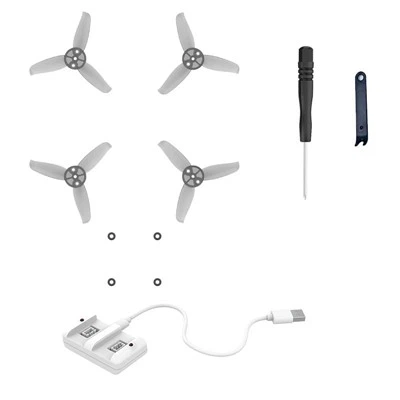
If you're using a mini coding drone in the simulator, Protector for Mini Coding Drone can be a useful accessory. It can protect your drone from damage during crashes, which are inevitable when you're learning or practicing new maneuvers.


Tips for Effective Customization
Here are some tips to help you customize the controls of your RC radio transmitter effectively:
- Start small: Don't try to make too many changes at once. Begin with simple adjustments, such as reversing a control or adjusting the sensitivity, and gradually build up to more complex customizations.
- Take notes: As you make changes, keep a record of what you've done. This will help you remember the settings and make it easier to revert back if something doesn't work.
- Practice regularly: Once you've customized the controls, practice using them in the simulator. This will help you get used to the new setup and improve your flying skills.
Conclusion
In conclusion, customizing the controls of an RC radio transmitter for FPV simulators is not only possible but also highly beneficial. It allows you to personalize your flying experience, enhance your performance, and make the learning process more enjoyable. Whether you're a beginner or an experienced pilot, taking the time to customize your controls can make a significant difference in your FPV simulator experience.
If you're interested in purchasing an RC radio transmitter that supports FPV simulators or any of the accessories mentioned in this blog post, please feel free to contact us for more information and to discuss your specific needs. We're here to help you find the best solutions for your FPV flying journey.
References
- RC Transmitter User Manuals
- FPV Simulator Documentation