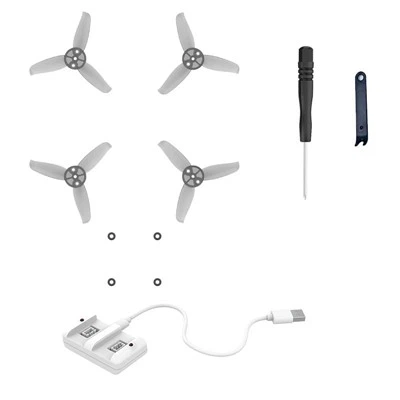
As a supplier of the Mini Coding Drone APP Control Green, I've had the privilege of witnessing firsthand how this innovative product is revolutionizing the way people approach coding. In this blog post, I'll explore whether it's easy to learn coding with the Mini Coding Drone APP Control Green, drawing on real - world experiences and the unique features of the product.
The Appeal of Coding with a Mini Drone
Coding is no longer just a skill for tech wizards. In today's digital age, it has become an essential competency, and learning to code can open up a world of opportunities, from problem - solving to creative expression. However, traditional coding education can sometimes be dry and intimidating, especially for kids and beginners. This is where the Mini Coding Drone APP Control Green comes in.
The idea of controlling a drone through coding is inherently exciting. It combines the thrill of flying a drone with the intellectual challenge of programming. Instead of looking at lines of text on a computer screen, learners get to see the direct result of their code in the physical world. When they write a code to make the drone fly forward, turn left, or perform a loop, they can watch the drone execute those commands in real - time. This hands - on, visual approach makes coding more engaging and accessible.
Features of the Mini Coding Drone APP Control Green
The Mini Coding Drone APP Control Green has several features that make it an ideal tool for learning coding.
Intuitive APP Interface
The accompanying APP has a user - friendly interface designed specifically for beginners. It uses a block - based coding system, similar to Scratch, one of the most popular coding platforms for kids. With block - based coding, learners can drag and drop pre - made code blocks to create sequences of instructions. This eliminates the need to worry about syntax errors and allows learners to focus on understanding programming concepts such as sequencing, loops, and conditional statements. For example, a learner can simply drag a "move forward" block and a "turn right" block to make the drone fly in an L - shaped path.
Interactive Tutorials
The APP also comes with a series of interactive tutorials. These tutorials guide learners through the basics of coding step by step. They start with simple tasks, like making the drone take off and land, and gradually introduce more complex concepts. Each tutorial provides clear instructions and examples, and learners can test their code immediately to see if it works. This iterative process of learning, testing, and correcting helps learners build confidence and master coding skills at their own pace.
Customization Options
Once learners have grasped the basics, they can start to experiment with the drone's customization options. They can create their own flight paths, add special effects, or even program the drone to respond to certain gestures. This level of customization encourages creativity and allows learners to apply their coding knowledge in unique ways.
Real - World Experiences of Learning Coding with the Drone
I've received feedback from many customers who have used the Mini Coding Drone APP Control Green to learn coding. Parents have reported that their kids were initially hesitant about learning coding but became enthusiastic once they started using the drone. The hands - on nature of the learning experience made it more fun for the kids, and they were eager to learn more about programming to make the drone perform more complex maneuvers.
Teachers have also found the drone to be a valuable teaching tool in the classroom. It has helped them make coding lessons more engaging and relevant. Students who were previously passive in traditional coding classes became actively involved in the learning process when they got to work with the drone. They were more likely to ask questions, collaborate with their peers, and take risks in their coding experiments.
Comparing with Other Learning Tools
When compared to traditional coding textbooks or online courses, the Mini Coding Drone APP Control Green has several advantages. Textbooks can be枯燥 (sorry, I made a mistake. Let's correct it). Textbooks can be dry and theoretical, often lacking the practical element that makes learning coding enjoyable. Online courses, while convenient, can sometimes feel impersonal and lack hands - on interaction.
In contrast, the Mini Coding Drone APP Control Green provides a tangible, real - world connection to coding. It allows learners to see the immediate impact of their code, which reinforces learning and makes the concepts easier to understand. Additionally, the drone's portability means that learners can practice coding anywhere, whether it's in their backyard, a park, or even a school hallway.
Potential Challenges
Of course, learning to code with the Mini Coding Drone APP Control Green is not without its challenges. For some learners, especially those who are completely new to programming, understanding basic programming concepts can still be difficult. The block - based coding system simplifies the process, but learners still need to learn how to think logically and break down problems into smaller steps.
Another challenge is mastering the physical operation of the drone. While the APP has features to make it easier to control the drone, flying a drone requires some coordination and practice. If the drone crashes during a coding experiment, it can be frustrating for the learner. However, these challenges can also be seen as opportunities for growth. Overcoming these obstacles helps learners develop resilience and problem - solving skills.
Related Products for Further Learning
If you're interested in other coding - related products, I'd like to introduce some of our other offerings. The Mini Drone for Kids and Beginners Green offers a similar coding experience with a different color option. The Mini Drone for Kids and Beginners Blue is also a great choice for beginners who want to have a bit more variety. And if you're looking for a more advanced option, the Education Programmable Drone with Camera allows for more complex coding and also comes with a camera for added functionality.
Conclusion and Call to Action
In conclusion, learning to code with the Mini Coding Drone APP Control Green is generally an easy and enjoyable experience, especially for kids and beginners. The intuitive APP interface, interactive tutorials, and hands - on nature of the learning process make it an effective tool for teaching and learning coding. While there are some challenges, they are outweighed by the benefits.


If you're a school looking to enhance your STEM curriculum, a parent wanting to introduce your child to coding, or an individual interested in learning coding in a fun way, the Mini Coding Drone APP Control Green could be the perfect solution for you. We're always open to discussing bulk purchases and custom solutions. If you're interested in learning more or starting a procurement discussion, please reach out to us. We look forward to helping you embark on an exciting coding journey with our Mini Coding Drone APP Control Green.
References
- Papert, S. (1980). Mindstorms: Children, computers, and powerful ideas. Basic Books.
- Resnick, M., Maloney, J., Monroy - Hernandez, A., Rusk, N., Eastmond, E., Brennan, K., ... & Kafai, Y. (2009). Scratch: Programming for all. Communications of the ACM, 52(11), 60 - 67.