Hey there, fellow FPV drone enthusiasts! I'm a supplier of 13 - inch FPV drones, and I know how frustrating it can be when your awesome 13 - inch FPV drone just won't take off. In this blog, I'll share some practical tips on how to troubleshoot this issue.
1. Check the Battery
The first thing you gotta do is check the battery. A low - charged or faulty battery is one of the most common reasons why a drone won't take off. Make sure the battery is fully charged. Sometimes, the battery indicator on the drone might be inaccurate, so it's a good idea to use a proper battery charger with a voltage display.
If the battery is old or has been damaged, it might not be able to provide enough power for the drone to lift off. You can test the battery by using a multimeter to check its voltage. A fully charged LiPo battery (the type commonly used in FPV drones) should have a voltage of around 4.2V per cell. If the voltage is significantly lower, it's time to charge or replace the battery.


2. Inspect the Propellers
Propellers play a crucial role in the drone's ability to take off. Check if all the propellers are properly attached. Loose propellers won't generate enough lift, and the drone won't get off the ground. Make sure they are tightened securely but not over - tightened, as this could damage the propeller or the motor.
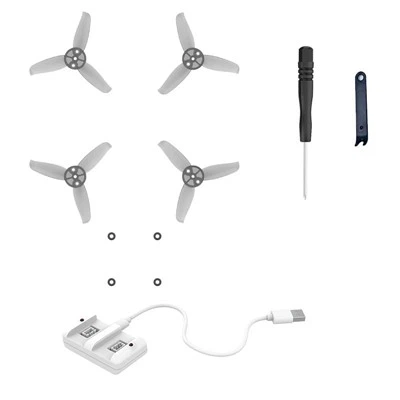
Also, look for any signs of damage on the propellers. A cracked or chipped propeller won't work efficiently. If you find a damaged propeller, replace it immediately. You can get a set of replacement propellers easily from most FPV drone accessory stores. And if you're looking for a complete FPV drone setup, our FPV Drone Kit with Goggles comes with everything you need, including high - quality propellers.
3. Examine the Motors
The motors are what spin the propellers, so they need to be in good working condition. First, listen to the motors when you power on the drone. If you hear any strange noises like grinding or rattling, it could indicate a problem with the motor.
You can also do a simple visual inspection. Check if the motor shafts are straight and not bent. A bent shaft will cause the propeller to spin unevenly, reducing the lift. If you suspect a motor is faulty, you can try swapping it with a known - good motor from another drone (if you have one) to see if the problem persists.
Our G - 129 Brushless Whoop Quadcopter is equipped with high - performance brushless motors that are reliable, but even the best motors can have issues over time.
4. Review the Flight Controller
The flight controller is like the brain of the drone. It controls the motors and keeps the drone stable. Sometimes, the flight controller settings might be off, or it could have a software glitch.
First, make sure the flight controller is properly calibrated. Most drones have a calibration process that you can follow in the user manual. This usually involves placing the drone on a level surface and using the controller to initiate the calibration.
If the calibration doesn't solve the problem, there could be a software issue. You might need to update the flight controller firmware. Check the manufacturer's website for the latest firmware version and follow the instructions to update it.
5. Check the Radio Connection
A weak or lost radio connection between the drone and the controller can prevent the drone from taking off. Make sure the transmitter (controller) and the receiver on the drone are both powered on and properly paired.
Check the antenna on both the transmitter and the receiver. Make sure they are fully extended and not damaged. If you're using a long - range FPV system, interference from other radio signals in the area could also be a problem. Try changing the frequency channel on your transmitter to see if that helps.
6. Look for Physical Obstructions
Sometimes, the problem could be as simple as a physical obstruction. Check if there's anything blocking the propellers or the motors. This could be a piece of debris, a loose wire, or even something stuck in the frame.
Inspect the drone thoroughly, including the landing gear and the underside of the frame. Remove any obstructions you find and make sure everything is clear for the propellers to spin freely.
7. Check the Weight
If you've added any extra accessories to your drone, like a more powerful camera or a larger battery, it could be too heavy to take off. Check the maximum payload capacity of your 13 - inch FPV drone and make sure you're not exceeding it.
If you've added a lot of weight, consider removing some non - essential accessories or upgrading to a more powerful drone. Our FPV Drone Brushless with Camera is designed to handle a reasonable amount of payload, but it's still important to stay within the limits.
8. Check the Environment
The environment can also affect the drone's ability to take off. Strong winds can make it difficult for the drone to lift off, especially if it's a relatively lightweight 13 - inch FPV drone. Try flying in a more sheltered area or when the wind is calmer.
Also, make sure the surface you're taking off from is level and stable. A sloped or uneven surface can cause the drone to tilt and prevent it from taking off properly.
Conclusion
Troubleshooting a 13 - inch FPV drone that won't take off can be a bit of a headache, but by following these steps, you should be able to identify and fix the problem. Remember, patience is key, and don't be afraid to ask for help from other FPV drone enthusiasts or the manufacturer's support team.
If you're in the market for a new 13 - inch FPV drone or need replacement parts, we're here to help. We offer a wide range of high - quality FPV drones and accessories. Whether you're a beginner or an experienced pilot, we have the products to meet your needs. If you're interested in purchasing our products or have any questions, feel free to reach out to us for a procurement discussion.
References
- FPV Drone User Manuals
- Online FPV Drone Forums
- Manufacturer's Technical Support Documents