Hey there, fellow drone enthusiasts! I'm stoked to share my knowledge on setting up an FPV system in a Brushless FPV Drone Starter Kit. As a supplier of these awesome kits, I've seen firsthand the excitement and joy they bring to both beginners and experienced flyers. So, let's dive right in and get your FPV drone up and running!
Understanding the Basics of FPV
First things first, let's talk about what FPV actually is. FPV stands for First Person View, and it's all about experiencing the thrill of flying from the perspective of the drone. Instead of just watching your drone from the ground, you get to see exactly what it sees through a pair of goggles or a monitor. It's like being in the cockpit of your very own aircraft!

Components of an FPV System
Before we start setting up the FPV system, let's take a look at the key components that make it all work:
- FPV Camera: This is the eye of your drone. It captures the video feed and sends it to the transmitter.
- FPV Transmitter: The transmitter takes the video signal from the camera and broadcasts it wirelessly to your goggles or monitor.
- FPV Receiver: The receiver on your goggles or monitor picks up the video signal from the transmitter and displays it for you to see.
- FPV Goggles or Monitor: These are your window into the world of FPV. They allow you to view the live video feed from your drone.
Unboxing Your Brushless FPV Drone Starter Kit
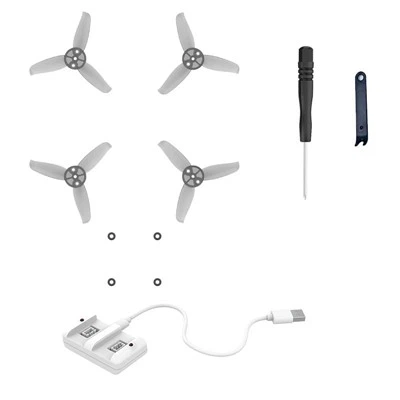
When you first receive your Brushless FPV Drone Starter Kit, it's like opening a present. You'll find all the components you need to build and fly your drone, including the frame, motors, ESC (Electronic Speed Controller), flight controller, FPV camera, transmitter, and receiver. Take a few minutes to familiarize yourself with each component and make sure you have everything you need.
Mounting the FPV Camera
The first step in setting up your FPV system is to mount the camera on your drone. Most starter kits come with a camera mount that allows you to adjust the angle of the camera. You'll want to position the camera so that it has a clear view of the front of the drone. Make sure the camera is securely mounted and that the wires are neatly routed to avoid any interference.
Connecting the FPV Camera to the Transmitter
Once the camera is mounted, it's time to connect it to the transmitter. The camera will typically have a video output cable that you'll need to plug into the video input on the transmitter. Make sure the connection is secure and that there are no loose wires.
Installing the FPV Transmitter
Next, you'll need to install the FPV transmitter on your drone. The transmitter should be mounted in a location that provides good signal strength and is protected from any vibrations or impacts. You'll also need to connect the power supply to the transmitter. Most transmitters require a 5V power source, which can usually be provided by the flight controller or a separate power module.
Configuring the FPV Transmitter
Before you can start flying, you'll need to configure the FPV transmitter. This involves setting the frequency and channel that the transmitter will use to broadcast the video signal. Most transmitters have a built-in menu system that allows you to easily adjust these settings. You'll want to choose a frequency and channel that is not being used by other FPV pilots in your area to avoid interference.
Connecting the FPV Receiver to Your Goggles or Monitor
Once the transmitter is configured, it's time to connect the FPV receiver to your goggles or monitor. The receiver will typically have a video output cable that you'll need to plug into the video input on your goggles or monitor. Make sure the connection is secure and that there are no loose wires.
Powering On the FPV System
Now that everything is connected, it's time to power on the FPV system. Start by turning on your drone and waiting for it to boot up. Then, turn on your FPV goggles or monitor and wait for the video signal to appear. If you're having trouble getting a signal, make sure the transmitter and receiver are on the same frequency and channel, and that the antennas are properly positioned.
Testing the FPV System
Before you take your drone for a flight, it's important to test the FPV system to make sure everything is working properly. You can do this by powering on your drone and your goggles or monitor and checking to see if you can see the live video feed. You should also try moving the drone around and making sure the video feed remains stable and clear.
Tips for a Successful FPV Setup
- Choose the Right Frequency and Channel: As mentioned earlier, it's important to choose a frequency and channel that is not being used by other FPV pilots in your area to avoid interference. You can use a frequency scanner app on your smartphone to check for available frequencies.
- Position the Antennas Properly: The antennas on your transmitter and receiver play a crucial role in the quality of the video signal. Make sure they are properly positioned and that they are not blocked by any objects.
- Use High-Quality Components: Investing in high-quality FPV components will ensure a better flying experience and reduce the risk of technical issues. Look for components that are known for their reliability and performance.
- Practice Flying in a Safe Area: FPV flying can be challenging, especially for beginners. It's important to practice flying in a safe area away from people, buildings, and other obstacles. Start by flying in a large open field or a park.
Conclusion
Setting up an FPV system in a Brushless FPV Drone Starter Kit may seem like a daunting task, but with a little patience and some basic knowledge, you'll be up and flying in no time. Remember to take your time, follow the instructions carefully, and test the system before you take your drone for a flight. If you have any questions or need further assistance, don't hesitate to reach out to us. We're here to help you get the most out of your FPV experience.
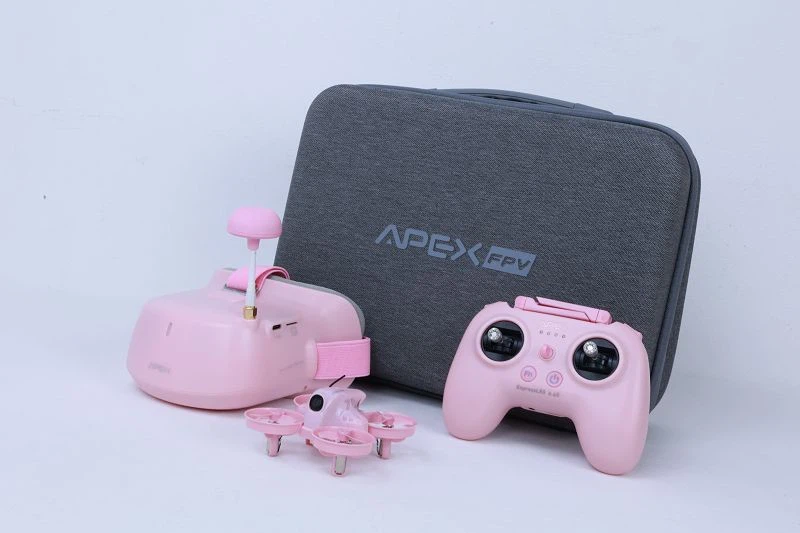
If you're interested in purchasing a Brushless FPV Drone Starter Kit, we have a great selection of products to choose from. Check out our FPV Drone Kit with Goggles Pink, 5 Inch FPV Drone for Drone Education, and FPV Drone with Head Tracking Mode. We offer competitive prices, fast shipping, and excellent customer service. Contact us today to discuss your purchasing needs and let's get you started on your FPV journey!
References
- Drone FPV Setup Guide - Online Drone Resources
- FPV Flying Basics - FPV Drone Community