Performing a pre-flight check on an FPV (First Person View) drone kit with goggles is a crucial step to ensure a safe and successful flight. As a supplier of high - quality FPV Drone Kits with Goggles, I understand the significance of these checks. In this blog, I'll guide you through the comprehensive pre - flight check process.
1. Visual Inspection of the Drone
The first step in the pre - flight check is a thorough visual inspection of the drone. Examine the frame for any signs of cracks, breaks, or loose parts. The frame is the structural foundation of the drone, and any damage can lead to instability during flight. Check the arms that hold the motors; they should be firmly attached to the main body. Loose arms can cause the drone to wobble or even crash.
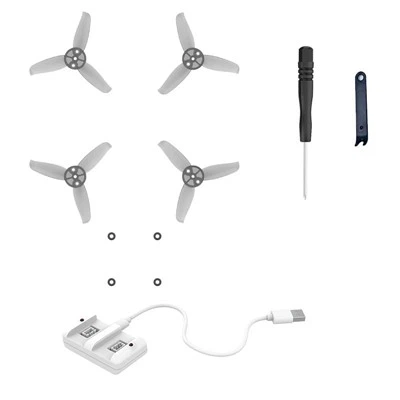
Inspect the propellers carefully. Look for any chips, cracks, or uneven wear. Damaged propellers can cause an imbalance, which will affect the drone's flight performance. Make sure the propellers are correctly installed. Usually, drones have different propellers for clockwise and counter - clockwise rotation. Installing them incorrectly can lead to poor control and potential accidents.
Check the wiring on the drone. Ensure that all wires are securely connected and there are no frayed or exposed wires. Loose or damaged wiring can cause electrical shorts, which may damage the drone's components or lead to a loss of control.
2. Battery Check
The battery is the power source of the drone, and a proper battery check is essential. First, visually inspect the battery for any signs of swelling, leakage, or damage. A swollen battery is a sign of internal damage and should never be used as it can be a fire hazard.
Check the battery voltage. Most drones have a recommended voltage range for optimal performance. Use a battery checker to measure the voltage. If the voltage is too low, the drone may not have enough power to take off or maintain stable flight. Charge the battery if necessary, but make sure to follow the manufacturer's charging instructions to avoid overcharging.
Inspect the battery connectors. They should be clean and free of corrosion. Corroded connectors can cause poor electrical contact, resulting in power loss during flight.
3. Motor and ESC (Electronic Speed Controller) Check
The motors and ESCs are responsible for controlling the drone's movement. Start by listening to the motors. Spin each motor by hand gently and listen for any unusual noises such as grinding or rattling. Unusual noises may indicate a problem with the motor bearings or other internal components.


Check the ESCs. Look for any signs of overheating, such as discoloration or a burnt smell. Overheating ESCs can cause motor failure and affect the drone's flight. Make sure the ESCs are properly connected to the motors and the flight controller.
4. Flight Controller Check
The flight controller is the brain of the drone. Check the status LEDs on the flight controller. Different colors and blinking patterns can indicate the status of the flight controller. Refer to the drone's manual to understand what each pattern means.
Calibrate the flight controller if necessary. This usually involves placing the drone on a level surface and following the calibration procedure in the flight controller software. Calibration ensures that the flight controller accurately senses the drone's orientation and can provide stable flight control.
5. FPV Goggles Check
The FPV goggles are what give you the immersive first - person view experience. Check the goggles' display. Make sure there are no dead pixels or other display issues. Turn on the goggles and check the image quality. The image should be clear, without any distortion or interference.
Inspect the antenna on the goggles. A damaged or loose antenna can cause a weak or unstable video signal. Ensure that the antenna is properly connected and in good condition.
Check the battery of the goggles. Similar to the drone battery, inspect it for any signs of damage and measure the voltage. Charge the goggles' battery if needed.
6. Radio Transmitter Check
The radio transmitter is used to control the drone. Check the batteries in the transmitter. Replace them if they are low. Make sure all the controls on the transmitter, such as the sticks, switches, and buttons, are working properly. Move each control and ensure that the corresponding action is reflected on the drone's status or in the flight controller software.
Bind the transmitter to the drone. This process establishes a communication link between the two. Follow the manufacturer's instructions to complete the binding process correctly.
7. Software and Firmware Check
Check the software and firmware of the drone and related components. Outdated software or firmware can cause compatibility issues and limit the drone's functionality. Visit the manufacturer's website to check for any available updates.
Before updating, make sure you have a backup of the current settings. Follow the update instructions carefully to avoid any errors during the update process.
8. Environment and Safety Check
Finally, consider the environment where you plan to fly the drone. Check the weather conditions. Strong winds, rain, or extreme temperatures can affect the drone's flight performance. Avoid flying in adverse weather conditions.
Check the flight area for any obstacles such as trees, buildings, or power lines. Make sure there are no people or animals in the immediate vicinity of the flight area.
As a supplier of FPV Drone Kits with Goggles, we offer a wide range of products to meet different needs. If you are interested in a FPV Drone with Coach Mode, which is great for beginners as it provides additional guidance during flight, or a FPV Drones Kit for Training, which is specifically designed for learning and practice, or even a Mini FPV Drone Load 50g, which is lightweight and portable, we have the right solution for you.
If you are interested in purchasing our products or have any questions about our FPV Drone Kits with Goggles, please feel free to contact us for further discussion and negotiation.
References
- Drone manufacturer's user manuals
- Industry best practices for FPV drone pre - flight checks